
Why Bother?
I use the open-source Fabric project almost daily to analyze and generate text content – it’s become an essential tool in my workflow.
For those unfamiliar, Fabric has two main features: First, it’s a collection of high-quality prompts (called “patterns”) for different tasks. For example, the “extract_wisdom” pattern is great for pulling key points and important quotes from text. I even contributed the “create_newsletter_entry” pattern, which generates newsletter-style summaries of articles. Second, Fabric offers a command-line program that makes using these patterns easy in a terminal. For example, on macOS I can copy an article and run pbpaste | fabric -p create_newsletter_entry to instantly generate a newsletter entry. I encourage readers to check the Fabric project on github for more details.
I mostly use Fabric to process web content – summarizing articles, evaluating quality, extracting insights, analyzing relationships between entities, and creating newsletter entries. But I kept running into the same friction points:
- Manually selecting, copying, and pasting text from websites
- Switching to my terminal to run Fabric commands
- Copying Fabric’s output back to my draft
- Separately copying the source URL if needed
When you’re doing this with multiple articles every day, all that copying and pasting really adds up!
I initially tried solving this with GPTScript, which I wrote about in a previous post. While it worked, it was slow (taking minutes per task) and token-hungry (increasing my usage about 10x). The issue was that GPTScript needed multiple rounds of processing the entire page source before extracting the right content.
Then it hit me – extracting text from webpages is exactly what browser extensions are good at! And with LLMs being so good at understanding messy text, perfect extraction isn’t even necessary. After checking Daniel’s Discord server and finding no existing browser extension for Fabric patterns, I decided to build one myself.
Although I rarely code frontend or use JavaScript, with help from Cline and GitHub Copilot, I managed to build a working extension last weekend. Here’s what it looks like:

How It Works
The first time you use it, you’ll need to configure your model settings – the base URL, model name, and API key. The extension expects OpenAI-compatible API endpoints, so check your model’s documentation first.
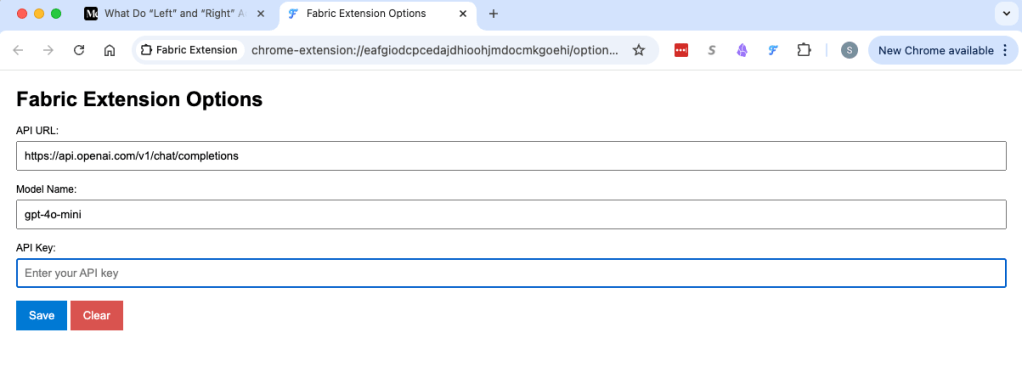
After configuration, using it is straightforward:
- Select a pattern from the dropdown list
- Click “Fabric it!”
- Wait a few seconds for processing
- The result appears in the output box and is automatically copied to your clipboard
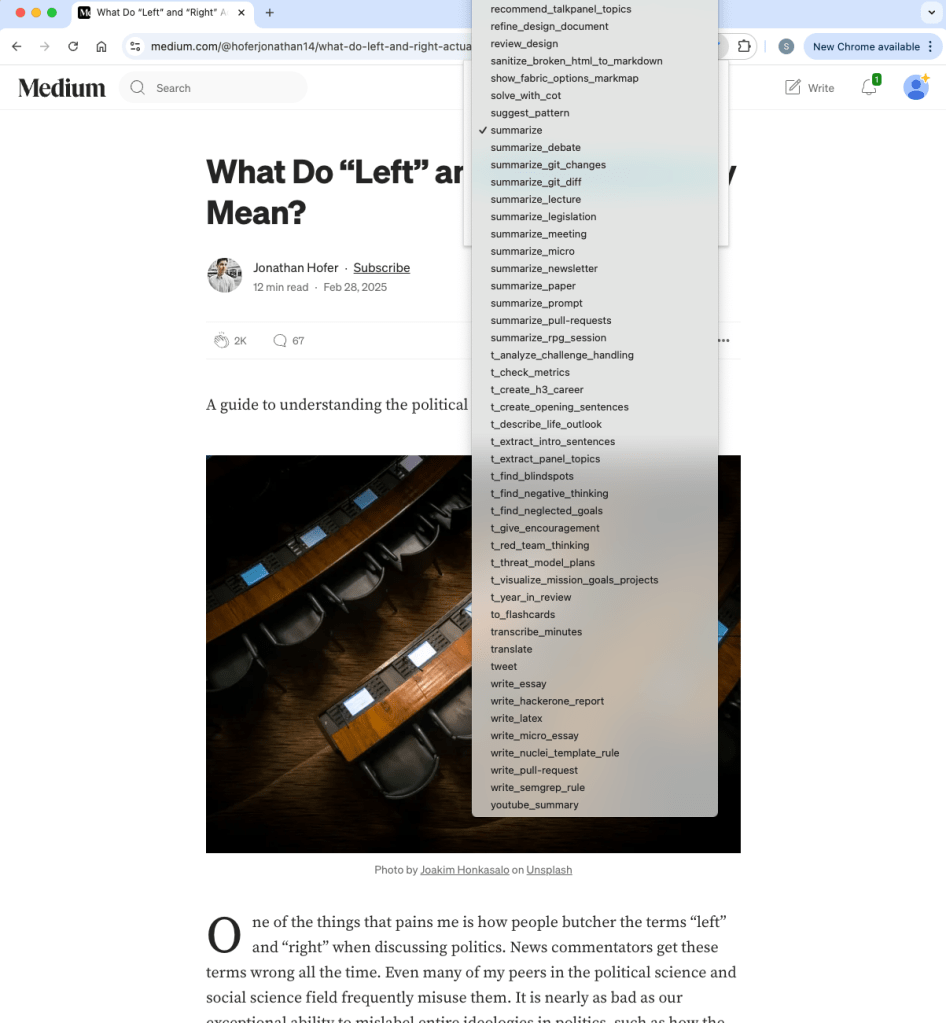
The extension remembers which pattern you used last time, making repeated tasks even easier.
Limitations: The extension currently doesn’t work with pages containing pdf files.
How to Install
I have not published the extension to the Chrome Web Store yet, but you can install it manually. Here’s how:
Option 1: Download ZIP
- Donwload the ZIP file of the latest release from the url https://github.com/sluosapher/fabric-chrome-extension/archive/refs/tags/latest.zip
- 2. Extract the ZIP file to a folder on your local machine
- 3. Open Chrome and go to `chrome://extensions/`
- 4. Enable “Developer mode” in the top right corner
- 5. Click “Load unpacked” and select the folder where you extracted the ZIP file
- 6. Enable the extension and pin it to your toolbar for easy access
Option 2: Git clone
- 1. Clone this project to your local machine using command in your shell:
git clone https://github.com/sluosapher/fabric-chrome-extension.git - 2. Open Chrome and go to `chrome://extensions/`
- 3. Enable “Developer mode” in the top right corner
- 4. Click “Load unpacked” and select the folder where you cloned the repository
- 5. Enable the extension and pin it to your toolbar for easy access
That’s it! You can just click the extension icon in your toolbar to open it.
Looking Forward
I built this primarily to simplify my own workflow, but I hope others find it useful too. It’s still early days – the UI isn’t fancy and there are likely bugs to fix and features to add. I’ll keep improving it, and you’re welcome to report issues on its GitHub page.


Leave a comment