
I believe sharing is one most important factor that leads to good innovations. This is the reason that I decide to open source my personal project VimAssist.
What’s the background
There are several good AI writing tools in the market, such as Gthub Copilot and Type.ai. They are pretty good in autocompleting text following what you are writting. But one limitation is that they don’t have access to user’s custom knowlege base, so many times, you find yourself still need to take a lot of time to search for the information you need, and reorganize it into your current context.
Last month, I tried to solve this problem by building a vim plugin, which can get information from user’s custom knowlege base and insert it into vim. I described the approach in my last blog “Power VIM with AI”. But the knowledge base is on my side project web site called chatdocu.ai, and users have to create an account and upload their documents to the web site. It’s still not very convenient for users to use.
What’s the new idea
What if I can make it more convenient for people who don’t want to open another online account? What if people can just use their file folders on their own computer to use this tool?
What was built
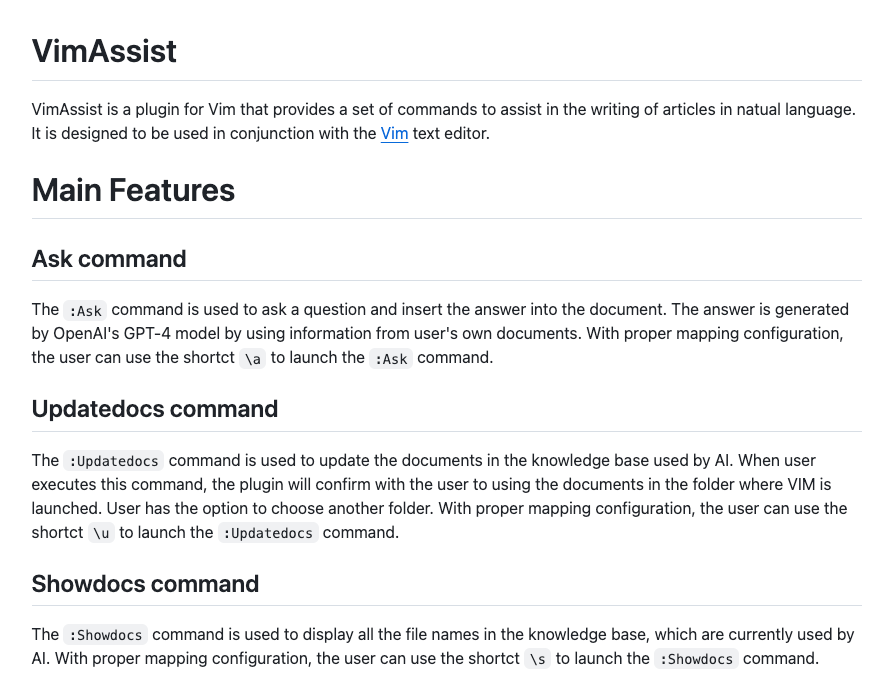
Based on this idea, I built a new version of the plugin, called VimAssist. It’s a plugin for Vim, which allows users to retrieve information from their own file folders and insert it into the current writting in vim. Basically, it allows user to specify any local folder as the knowledge base, then ask the AI any questions about the documents in the folder, and write the answer into vim editor at the current cursor position.
VimAssist is implemented with OpenAI’s assistant API, which means you do need OpenAI’s ChatGPT plus account, and have an API key to use it. But it’s much more convenient than the previous version, because you don’t need to upload your documents to an online web site. You can just use your local file folders.
Here is the link to the project on Github. The README document has detailed instructions on how to install and use it.
Some notes
However, it’s still in the early stage of development, and I only tested it on my MacBook. Theoretically, it should work on other platforms, but I haven’t tested it yet. I would be very happy if anyone can help me test it on your computer, give me feedbacks, or make contributions to the project.

Leave a comment